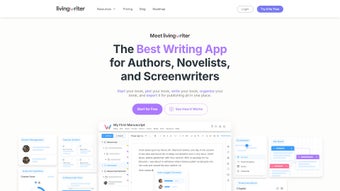

Download LivingWriter – Web-Based Manuscript Writing Tool for Authors
LivingWriter is a powerful, web-based writing platform designed for authors who want to streamline their manuscript creation process. Whether you're drafting a novel, screenplay, or academic paper, LivingWriter offers intuitive tools that enhance organization, creativity, and productivity. With its clean interface and AI-powered features, this software helps writers focus on storytelling without getting bogged down by technicalities.
The platform supports multiple writing projects, allowing users to manage various works simultaneously. Key features like drag-and-drop chapter organization, an on-screen sidebar for notes and goals, and an AI Outline Generator make it ideal for both beginners and experienced authors. LivingWriter also includes Smart Text and Auto-Suggest tools that recognize character names, locations, and objects, reducing repetitive typing and improving consistency.
With built-in writing goals and detailed statistics, authors stay motivated and track their progress. Importantly, LivingWriter prioritizes privacy—your data is automatically deleted after each session, ensuring no unauthorized access. Available on Windows, Mac, Android, and iOS via any modern web browser, LivingWriter delivers a seamless, secure writing experience across devices.
Advanced Features That Elevate Your Writing Process
LivingWriter stands out in the crowded field of writing tools thanks to its innovative, author-centric features. One of the most powerful tools is the AI Outline Generator, which uses genre-specific templates to help writers structure their narratives from the ground up. Whether you're writing a mystery thriller, a romantic drama, or a sci-fi epic, the AI suggests a logical flow of events, key plot points, and character arcs tailored to your genre.
This not only saves time but also helps writers avoid common structural pitfalls. The Smart Text and Auto-Suggest features further enhance efficiency by automatically recognizing and suggesting character names, locations, and recurring objects as you type. This ensures consistency across chapters and reduces the risk of errors like mismatched names or forgotten details.
Another standout feature is the drag-and-drop manuscript organization system. Writers can effortlessly rearrange chapters, scenes, or sections with a simple click and drag, making it easy to experiment with narrative flow. The on-screen sidebar acts as a central hub for notes, comments, and writing goals, allowing authors to keep their thoughts and objectives visible without switching contexts.
This reduces mental clutter and keeps the creative process flowing. Additionally, LivingWriter provides detailed project statistics, including word count, writing time, and daily progress, which are invaluable for staying on track and maintaining motivation. The platform also supports collaborative feedback through comment threads, making it useful for writers working with editors or critique groups.
For those concerned about privacy, LivingWriter offers a session-based data deletion policy. Once you close the browser or log out, all your manuscript data is permanently removed from the server. This ensures your work remains confidential and secure, especially important for writers handling sensitive or unpublished content. These features, combined with a responsive design and fast performance, make LivingWriter a comprehensive, reliable tool for serious authors.
How to Install and Use LivingWriter for Maximum Productivity
One of the biggest advantages of LivingWriter is its no-installation, web-based nature. There’s no need to download or install any software—just open your preferred web browser on your Windows PC, Mac, Android tablet, or iOS device, and navigate to the LivingWriter website. Once there, you can sign up for a free account in seconds. The registration process is straightforward: enter your email, create a password, and verify your account. After logging in, you’re immediately ready to start a new project or import an existing manuscript.
To begin writing, click on “New Project” and select your genre—novel, screenplay, academic paper, or other. LivingWriter will then prompt you to use the AI Outline Generator to build a foundational structure. You can customize the outline by adding, removing, or reordering sections.
Once your outline is set, you can start writing directly in the main workspace. The sidebar remains active throughout, letting you add notes, set daily word count goals, and track your progress in real time. As you type, the Smart Text feature learns your preferred names and locations, auto-completing them as you go.
This reduces typos and speeds up drafting.
For managing multiple projects, LivingWriter allows you to create separate folders and tag each manuscript for easy navigation. You can also export your work in various formats—such as .docx, .txt, or PDF—for sharing or publishing. The platform syncs your work across devices, so you can start writing on your laptop and continue on your phone without missing a beat. Regular updates ensure new features are added, performance is optimized, and security is maintained. With its intuitive interface and powerful tools, LivingWriter makes the writing process smoother, faster, and more enjoyable.
Compatibility and System Requirements
LivingWriter is designed to be accessible to writers regardless of their device or operating system. The platform runs entirely in your web browser, meaning it’s compatible with Windows 10 and later, macOS 10.15 and above, Android 8.0 and newer, and iOS 14 and above. No special hardware or software installation is required—just a stable internet connection and a modern browser like Chrome, Safari, Firefox, or Edge.
Because LivingWriter is cloud-based, it eliminates the need for local storage and reduces the risk of data loss due to hardware failure. Your manuscripts are stored securely in encrypted sessions and automatically deleted after each logout, ensuring your work remains private. The platform is optimized for performance, loading quickly even on lower-end devices. Whether you're writing on a high-resolution MacBook Pro, a budget Android tablet, or an iPad, the experience remains consistent and responsive.
For writers who prefer offline access, LivingWriter does not currently offer a desktop app, but you can save drafts locally using browser-based download options. However, full functionality—including AI features, real-time collaboration, and automatic syncing—requires an active internet connection. This makes LivingWriter ideal for writers who value flexibility and cross-device access. It’s also a great choice for students, freelance writers, and authors on the go who need a reliable, secure, and feature-rich tool that works anywhere, anytime.
Pros and Cons of LivingWriter
- Pros:
- Powerful AI Outline Generator with genre-specific templates
- Smart Text and Auto-Suggest for consistent character and location naming
- Drag-and-drop chapter and scene organization
- On-screen sidebar for notes, goals, and statistics
- Secure, session-based data deletion for privacy
- Works on Windows, Mac, Android, and iOS via web browser
- Free to download and use with optional premium upgrades
- Real-time progress tracking and motivation tools
- Cons:
- No offline mode or desktop application available
- Requires consistent internet connection for full functionality
- Advanced AI features are limited in the free version
- Learning curve for new users unfamiliar with web-based writing tools
- Export options are basic compared to dedicated word processors
Frequently Asked Questions (FAQ)
- Is LivingWriter free to download and use?
Yes, LivingWriter offers a free version with essential features like AI outlining, Smart Text, and basic project management. Premium plans unlock advanced tools such as enhanced AI suggestions, unlimited projects, and priority support.
- Can I use LivingWriter on my mobile device?
Absolutely. LivingWriter is fully accessible on Android and iOS devices through any modern web browser. The responsive design ensures a smooth writing experience on tablets and smartphones.
- How does LivingWriter ensure my data is secure?
LivingWriter prioritizes privacy by automatically deleting all project data after each session. Your manuscripts are never stored on servers long-term, and no personal information is shared without consent.
- Do I need an internet connection to use LivingWriter?
Yes, since LivingWriter is a web-based platform, an active internet connection is required to access and use all features. However, you can save drafts locally for offline review.
- Can I export my manuscript from LivingWriter?
Yes, you can export your work in common formats like .docx, .txt, and PDF. These files are ideal for sharing with publishers, editors, or for archiving.
Final Verdict: Is LivingWriter Worth It?
LivingWriter is a standout choice for authors seeking a modern, secure, and intelligent writing platform. Its combination of AI-driven outlining, Smart Text suggestions, and intuitive organization tools makes it a powerful ally in the creative process. While the lack of a desktop app or offline mode may be a drawback for some, the web-based model ensures accessibility and security across all devices. The free version offers impressive functionality, and the premium upgrades provide excellent value for serious writers.
If you're looking for a free, secure, and feature-rich manuscript writing tool that helps you stay organized, motivated, and productive, LivingWriter is a top contender. Whether you're drafting your first novel or polishing a screenplay, this platform delivers a seamless, distraction-free experience. Don’t wait—download LivingWriter today and take your writing to the next level.



.png)



